MDM device tracking with NinjaOne Mobile Device Management
NinjaOne Mobile Device Management (MDM) tracks Android and Apple device locations, supports remote lock or wipe, and maintains mobile device inventory.
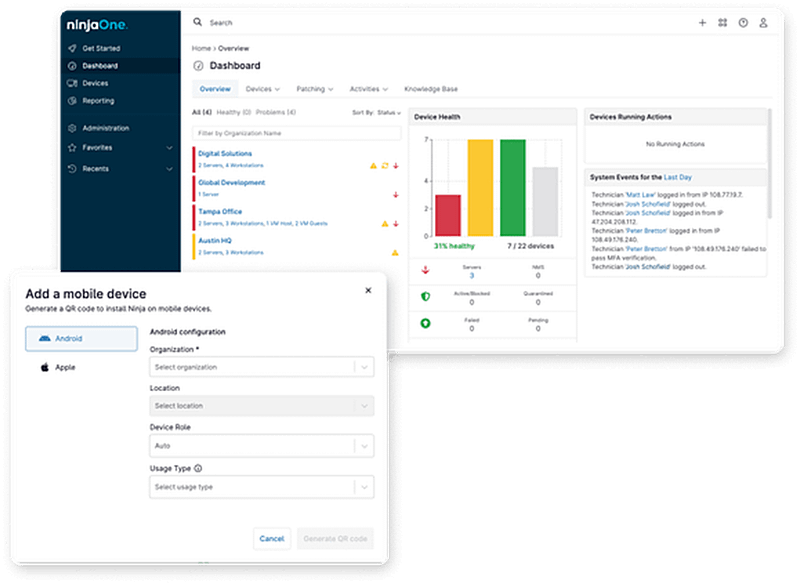
NinjaOne Mobile Device Management (MDM) tracks Android and Apple device locations, supports remote lock or wipe, and maintains mobile device inventory.
Keeping track of distributed mobile devices can create visibility and security gaps. Here’s how NinjaOne MDM addresses common device tracking challenges.
Problem | How NinjaOne Mobile Device Management resolves it |
A mobile device goes missing or cannot be located | NinjaOne MDM provides device location visibility so IT teams can locate enrolled Android and Apple devices and respond when a device is lost. |
Lost devices may expose company data | IT teams can remotely lock or wipe supported devices to help protect organizational data when a device is lost or stolen. |
IT lacks visibility into distributed mobile devices | NinjaOne centralizes mobile device location, status, and inventory information, giving IT teams a clearer view of company-managed devices. |
A device falls out of compliance with security policy | NinjaOne MDM helps IT teams identify device compliance changes and take appropriate management actions from the NinjaOne platform. |
IT teams can see where managed devices are and review location history without relying on manual tracking or separate records.
Current location data and remote actions help technicians respond when a company-owned device is lost or stolen.
Remote lock, wipe, and Lost Mode capabilities help IT teams reduce data exposure when a mobile device is no longer in the right hands.
Centralized device information helps IT teams monitor mobile devices across offices, remote workforces, and other locations from the NinjaOne platform.
Location, status, compliance, and activity data give technicians additional context when deciding how to investigate or manage a device.

View reported device locations on a map and review location history to understand where a managed device has been. Request an updated location when current information is needed.

Activate Lost Mode on supported Apple and Android devices. Lock a missing device, display contact information, and use available location data to assist with recovery.

View device, compliance, security, software, and network information from the device dashboard. Review device activity to understand recent events and technician actions.

Set location accuracy and reporting frequency through MDM policies. Choose how often managed devices report their location based on time or distance.

Take remote actions when a managed device requires attention, including supported lock and wipe commands. IT teams can respond without having physical access to the device.
See how IT teams and MSPs can use MDM device tracking to locate distributed devices, respond to loss or theft, and maintain visibility across mobile fleets.
An employee reports that a company-owned phone or tablet is missing. IT can review available location data and location history, request an updated location, and use supported Lost Mode or remote actions based on the situation.
Mobile devices may move between offices, remote employees, and field locations. IT teams can use centralized location and device information to maintain visibility without relying on spreadsheets or separate tracking processes.
MSPs can monitor managed mobile devices across customer environments from the NinjaOne platform. Technicians can review device information and location data, then take appropriate action when a customer device is lost or requires attention.
Enroll supported Android and Apple devices in NinjaOne MDM so they appear in the Devices dashboard and can receive assigned policies.
Enable location tracking in the appropriate MDM policy, then select the location accuracy and reporting frequency for managed devices.
Make sure NinjaOne Assist is installed and active, and Location Services are enabled on the device so location data can be reported to NinjaOne.
Use the device dashboard to view reported locations and history, or manually request an updated location when needed.
Connect MDM device management with your existing tools
NinjaOne connects with endpoint management platforms to help IT teams maintain device visibility across the tools they already use.
NinjaOne MDM connects with Microsoft Intune to bring Intune-managed device records into the same console used for device tracking, so IT teams see device status and location together instead of switching between two tools.
Simplifying mobile device management from the same platform
Pacific NorthWest Managed IT Services uses NinjaOne MDM to manage Apple mobile devices alongside the rest of its endpoints, bringing mobile device management, remote access, and troubleshooting into the same platform.
“Deploying NinjaOne MDM to our Apple mobile devices was so quick and painless. In less than 15 minutes we were connected to our device.”
Cary R. Wagner, Owner, Pacific NorthWest Managed IT Services
Source: NinjaOne
Discover how NinjaOne Mobile Device Management helps IT teams track mobile devices, maintain visibility across distributed fleets, and respond when devices are lost or require attention.
NinjaOne MDM device tracking helps IT teams view location information for managed mobile devices from the NinjaOne platform. Administrators can view reported locations, review location history, and request updated location data for supported devices.
NinjaOne MDM uses the NinjaOne Assist app and device Location Services to report location data. The Assist app must be installed, running in the background, and granted location permissions on the device for real-time location reporting.
NinjaOne MDM provides location information and Lost Mode capabilities for supported managed devices. When the device is powered on and connected to a network, IT teams can use available location data and remote actions, such as locking the device, to help locate and secure a company-owned device if it is lost or stolen.
Yes. NinjaOne MDM provides location history for managed devices, allowing technicians to review previously reported locations from the device dashboard. IT teams can also request updated location information when needed.
Yes. Administrators can configure location tracking through MDM policies, including location accuracy and reporting frequency. Reporting can be configured based on time or distance, giving IT teams control over how location information is collected.
NinjaOne MDM device tracking focuses on managed device location and device information, not personal data. NinjaOne MDM does not give administrators access to personal files, photos, texts, emails, or browsing history, regardless of whether a device is company-owned or personally owned.
For supported devices, Lost Mode gives IT teams controls for responding to a missing or stolen device. Depending on the device and enrollment type, administrators can lock the device, display contact information, retrieve available location data, and monitor its Lost Mode status.